Local LLM Chat. Private by design.

Pocket AI — No Internet.
Local LLM Chat.
No Cloud AI.
No Account.

AI chat that runs on your phone after model download. Prompts and responses stay on-device, and optional Pro unlocks higher daily and model limits.

Prompts stay local No login required iPhone 12 supported Free tier + optional Pro
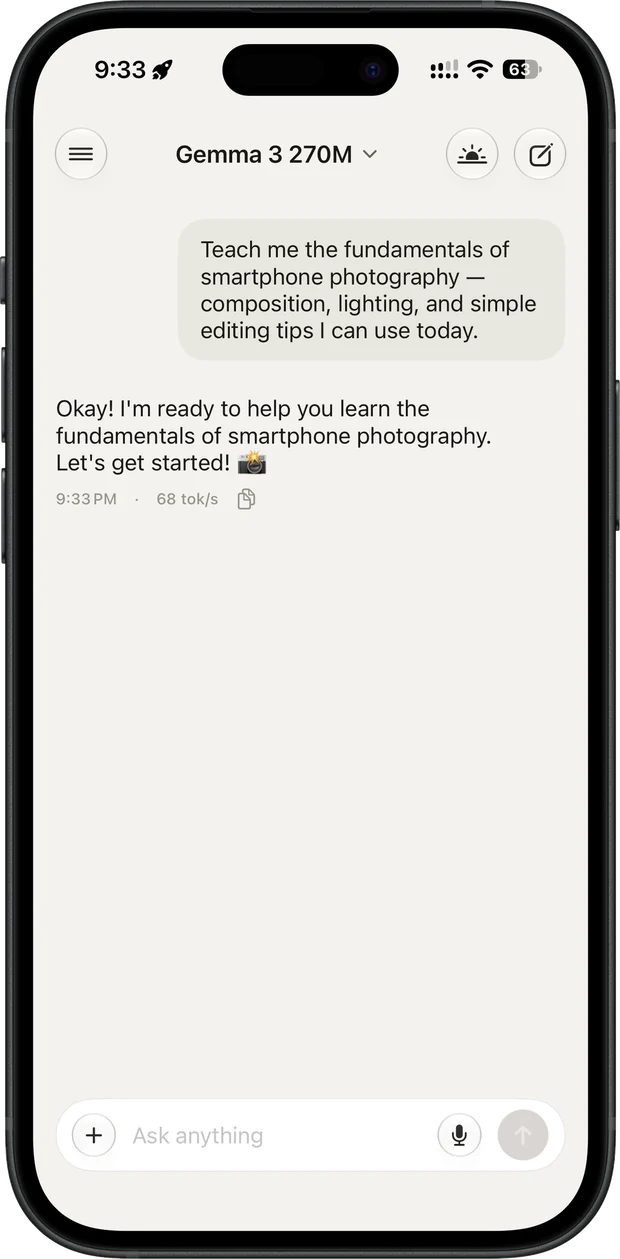
Pocket AI chat screen running Gemma 3 270M on-device at 68 tokens per second
Scroll to explore

Built different. On purpose.

Every design decision keeps AI inference local while making the free and Pro tiers clear.

Offline. Always.

Download a model once over Wi-Fi. After that, chat runs locally anywhere — a plane, a subway, a hospital, anywhere with zero signal.

  • Works in airplane mode
  • No internet needed for chat
  • No cloud AI inference

Free to start. Pro when you need more.

Download free with no account or credit card. The free tier includes daily messages and one downloaded model; Pro unlocks higher limits and advanced features.

  • Free download
  • 15 messages per day included
  • Optional Pro upgrade

The real thing. No mockups.

Both shots below are the shipping app on an iPhone, exactly as it appears on the App Store.

Pocket AI chat screen answering on-device at 68 tokens per second

Chat, fully on-device

Ask anything. The model answers from your iPhone's own chip, with live tokens-per-second — no cloud, no account, no signal needed.

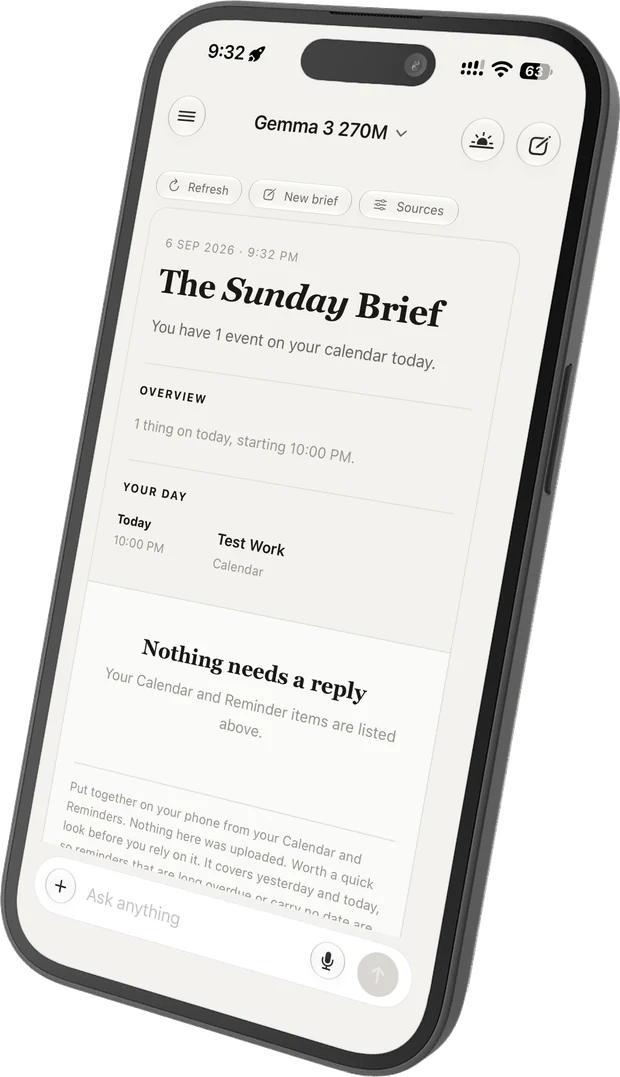
The daily brief summarising today's calendar and reminders

A daily brief, written on your phone

Each morning Pocket AI reads your Calendar and Reminders locally and writes you a short brief. Nothing is uploaded to build it.

Runs on iPhone 12. And up.

Most "on-device AI" apps only work on the latest Pro models. We built this differently. If you own an iPhone 12 or newer, you have enough compute to run real AI.

ModeliPhone 13iPhone 15 Pro
Qwen 0.6B ~20–35 tok/s ~45–60 tok/s
Qwen 1.7B ~12–20 tok/s ~25–35 tok/s
Qwen 4B needs more RAM ~10–18 tok/s

Typical decode speed on a warm Q4_K_M model. Read across a row: the same model gets faster on a newer chip. Read down a column: a bigger model gives better answers and fewer tokens per second.

✈️
Airplane Mode
Full AI. Zero signal.
🔒
No Account
Not even an email.
Metal GPU
Apple Silicon optimized.
🎛️
System Prompts
Fully customizable AI.

Top models. Completely offline.

Run open-source AI models directly on your iPhone. Downloaded models run locally without an internet connection.

Qwen

Alibaba's powerful multilingual models. 0.6B, 1.7B, and 4B variants available.

Available Chat Code

Llama

Meta's flagship family of foundation models for general reasoning and long context.

Available Reasoning

Gemma

Google's lightweight, state-of-the-art models. Fast and efficient on Apple Silicon.

Available Fast

DeepSeek

Advanced reasoning and code generation models for power users.

Available Code Reasoning
All models use Q4_K_M quantization — best quality-to-size ratio for on-device inference.

Common questions.

Everything you need to know before downloading.

Yes. Once you download a model over Wi-Fi, chat inference runs on your iPhone's chip instead of a remote AI server. Model downloads and optional Pro purchase or entitlement checks may use a connection when available.

Your prompts, responses, attachments, and chat history stay in your phone's private app storage and are not sent to cloud AI servers. The app does send content-free usage analytics — which features were opened, whether a download finished — to PostHog and Google Analytics, and you can turn that off under Privacy settings; it never includes your chats, voice audio, Calendar events or Reminders. RevenueCat receives only the anonymous purchase and device identifiers needed for Pro purchase and entitlement checks. Full detail is in the privacy policy.

Any iPhone 12 or newer. Older iPhones run our lighter models (Qwen 0.6B) at perfectly usable speeds (~20–35 tok/s; an iPhone 15 Pro does the same model at ~45–60). Newer Pro models handle our larger, more capable models. You do not need the latest hardware.

No. There is no account, no login, no email, no sign-up. Open the app, download a model, start chatting.

Yes. Pocket AI is free to download with no account or credit card required. The free tier includes 15 messages per day and one downloaded model; Pro unlocks unlimited messages, unlimited models, and advanced features.

  1. Download the app from the App Store
  2. Go to the Models tab
  3. Tap "Download" on any model (start with 0.6B for fast results)
  4. Once downloaded, tap "Load"
  5. Go to Chat and start typing

Yes. Go to Settings → System Prompt to write custom instructions for the AI. Make it a coding assistant, a writing editor, a language tutor, or anything else. This is one of the most powerful features for power users.

Models range from ~460 MB (0.6B) to ~2.7 GB (4B). The app itself is small. You can download and delete models freely — your chat history is preserved independently of which model is loaded.

Pocket AI app icon
Free Download

Your AI. Your Phone.
Your Rules.

No login and no credit card to start. Download free, chat locally, and upgrade to Pro when you want higher limits.

Download on the App Store

Requires iPhone 12 or newer · iOS 17+

Privacy Policy · Terms of Use

We'd love to hear from you.

Have a question, found a bug, or want to suggest a feature? Your feedback directly shapes what we build next.